NEO4J has provided a very functional web interface to find information on objects. If you run the following query,
START n = node(*)
WHERE has (n.name)
and (n.name=”Lucy Liu”)
return n
you will get one object back, the node for Lucy Liu. With the web interface, you can then click on the node and see much of the information about it. Right click, open in new tab.

Interestingly, in this Cineasts Movie database, all the properties for Person seem to be stored in strings, even the ID.
If you already have the internal Node ID, in this case 1000, you can then find lots of information on it. Enter the Node identifier in the query box and simply enter Control-Enter. It will give the same result. http://127.0.0.1:7474/webadmin/#/data/search/1000/ You can add or remove properties. Delete the whole node. Add another node. Or create a Relationship.
Finding All The Direct Relationships To A Node:
With the internal Node id, if you go to the query box, you can query for the relationships with: rels:1000. You will get a list of all the nodes directly connected to the one node. The properties are: Relationship, Start node, End node which are objects. Type, name, and __type__ will be text properties. http://127.0.0.1:7474/webadmin/#/data/search/rels%3A1000/

Looking at this, reminds me of the intersecting table of a Many to Many database relationship.
If you then click a single Relationship node, you will get detailed information on this relationship. http://127.0.0.1:7474/db/data/relationship/100019

Interestingly enough, the Relationship Type, type(r), ACTS_IN, is not found in any of the fields. It’s not possible to modify it at all. You can determine type(r) in this query:
START n=node(1000)
MATCH n-[r]-m
RETURN n.name, type(r), m.title
order by m.title
Returned 21 rows.
Query took 54ms
n.name type(r) m.title
“Lucy Liu” “ACTS_IN” “3 Needles”
“Lucy Liu” “ACTS_IN” “Afro Samurai: Resurrection”
…
“Lucy Liu” “ACTS_IN” “Shanghai Noon”
“Lucy Liu” “ACTS_IN” “The Year of Getting to Know Us”
—
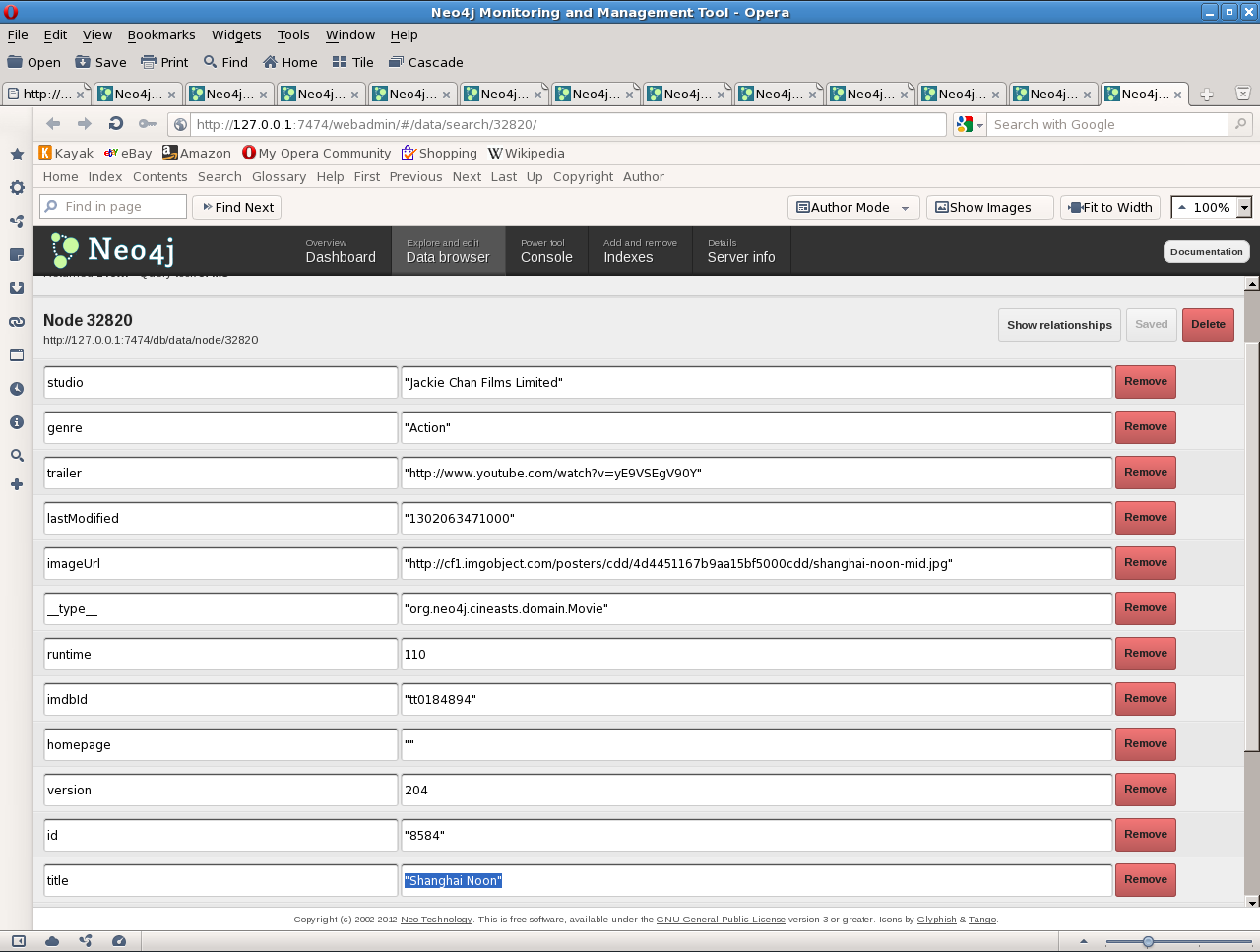
If you click on the nodes, you can see the Person, Movie, and the Relationship.
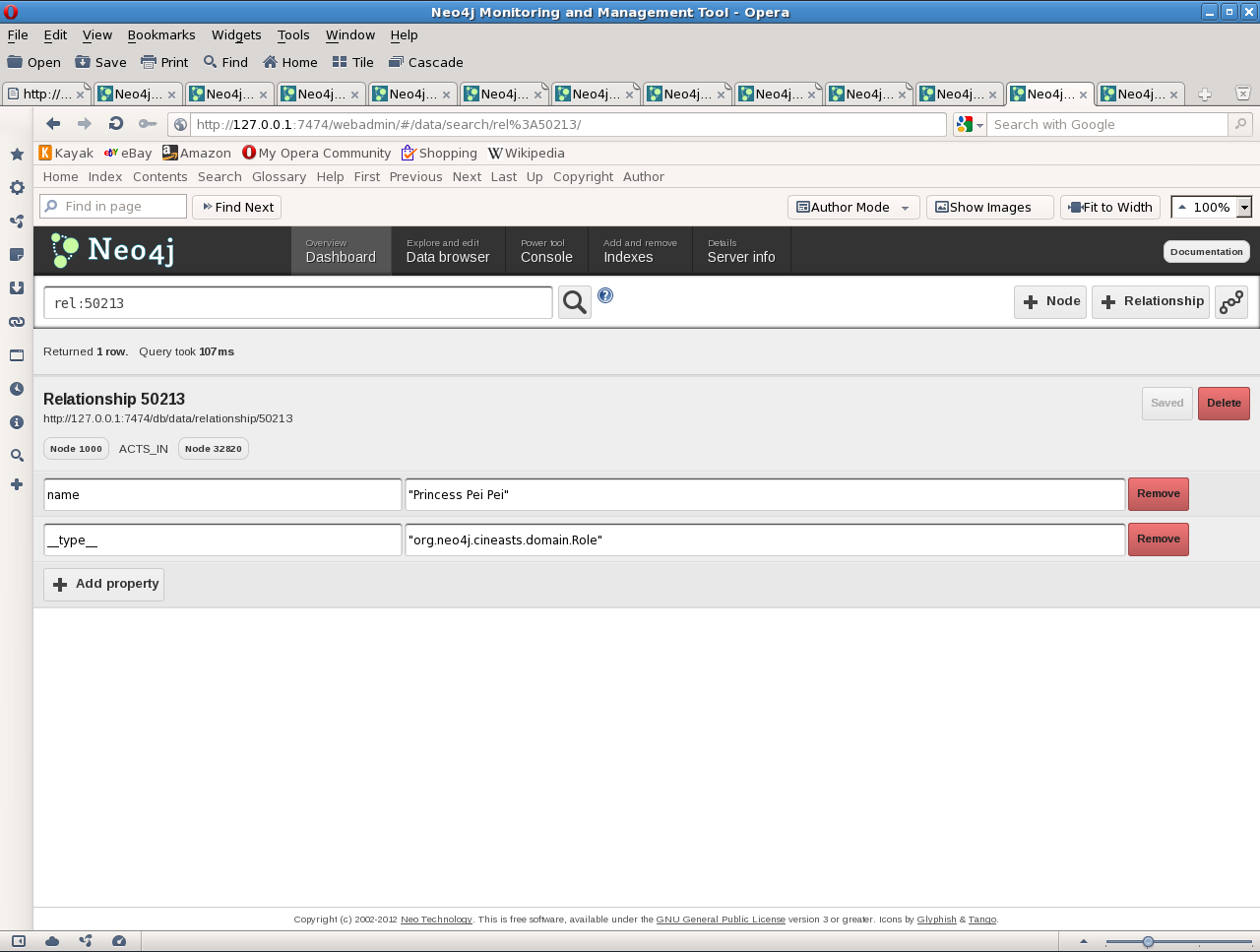
Lucy Liu played the ^ Role of Princess Pei Pei, in the movie Shanghai Noon.
Visualizing The Graph:
What’s really cool is when you click the button to graph all the nodes. It’s the one beside the button labelled Relationship.

Node 1000 is Lucy Liu. Relationship 50213, Node 1000 ACTS_IN Node 32820, is visualized as:
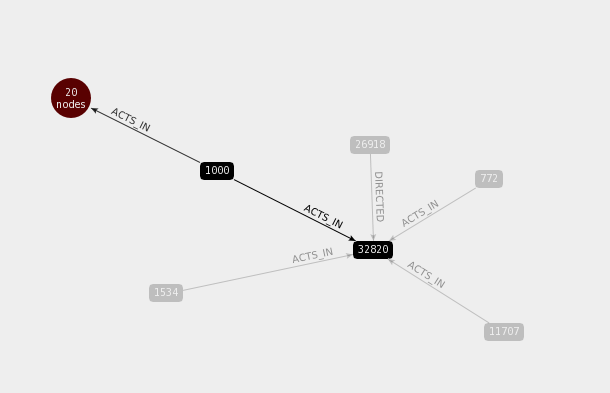
If you click the red node, labelled 20 nodes, you get a popup, listing the other movies that Lucy Liu has appeared in.
Attempting to graph all the relationships for Lucy Liu, rels:1000, gives a message: Only showing the first ten in the set, to avoid crashing the visualization. We’re working on adding filtering here!
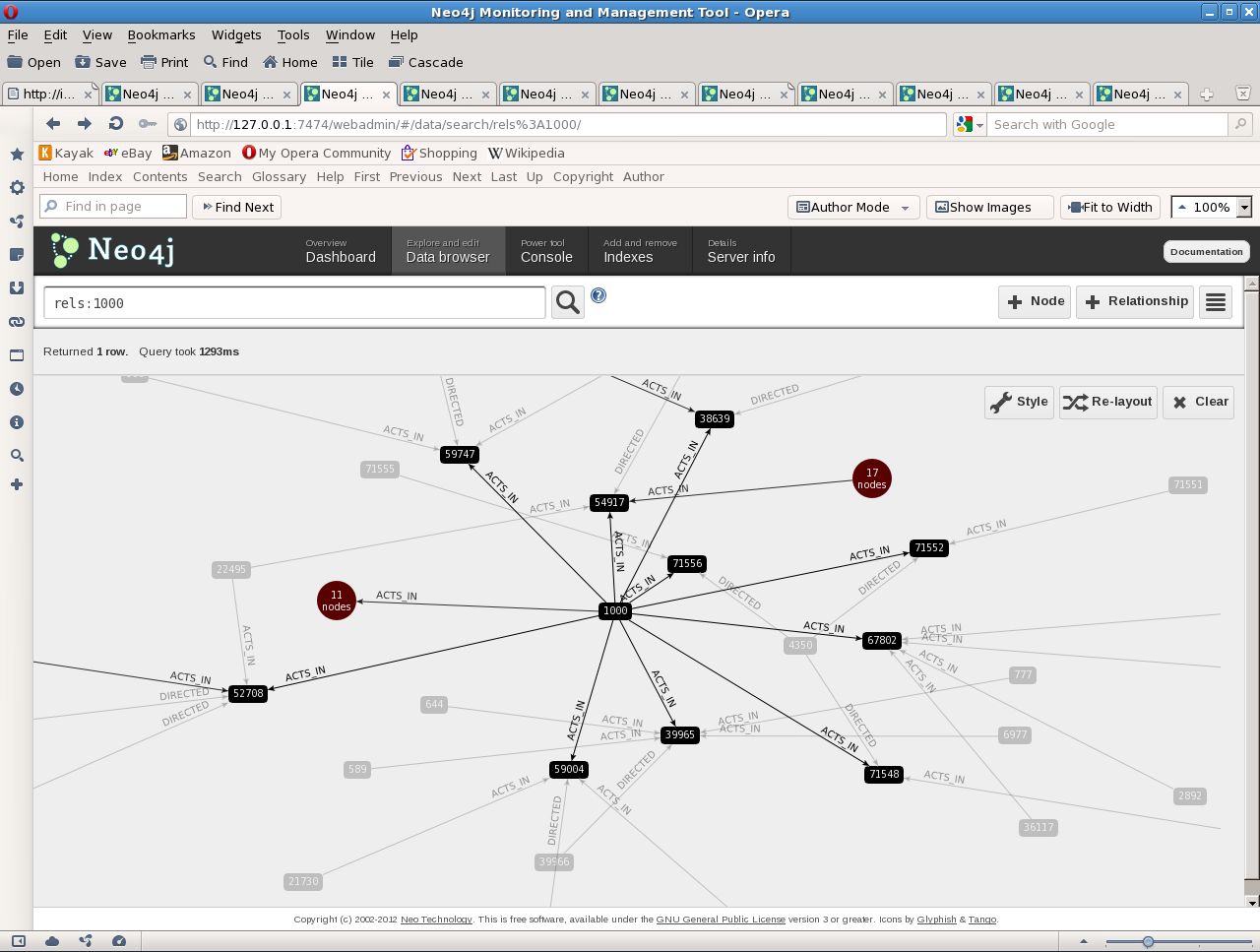
10 movies that she ACTS_IN show up as nodes. Another 11 are grouped together in a big red node.
—
Being able to drill down on objects and get more information is most useful. And the graphing is very impressive! It looks a lot different from the rows and columns of a SQL query.